Vigilance Report
Generating a Report
The Vigilance Reporting module assists in creating regulatory-compliant reports by analyzing device performance against chosen baselines.
Step 1: Define Primary Parameters
Begin by establishing the core scope of your analysis.
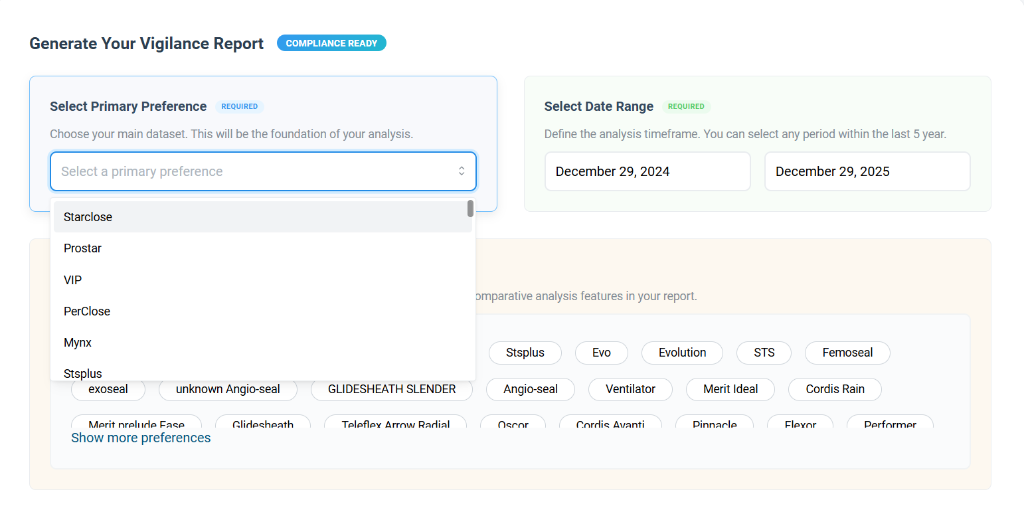
- Select Primary Preference: Choose the main dataset or product family (e.g., "Starclose") that will serve as the foundation of your analysis.
- Select Date Range: Define the specific timeframe for the report (e.g., "Last 1 Year"). You can start by selecting a predefined range or customizing the dates.
Step 2: Comparative Analysis & Generation
Optionally, you can select additional datasets to benchmark your primary product against.
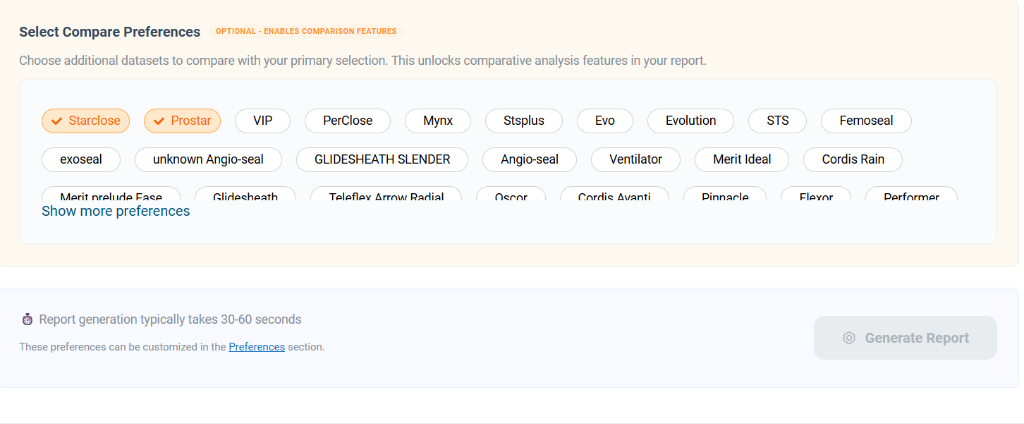
- Select Compare Preferences: Choose one or more additional datasets (e.g., "Prostar", "VIP") to enable comparative features in the final report. This helps in identifying trends or deviations against similar products.
- Generate Report: Once all parameters are set, click the Generate Report button. The system will process the selected data and compile the vigilance report, typically within 30-60 seconds.