Complaints Overview
Dashboard Overview
The Complaints module provides a centralized view of all reported issues, offering high-level insights and tracking metrics.
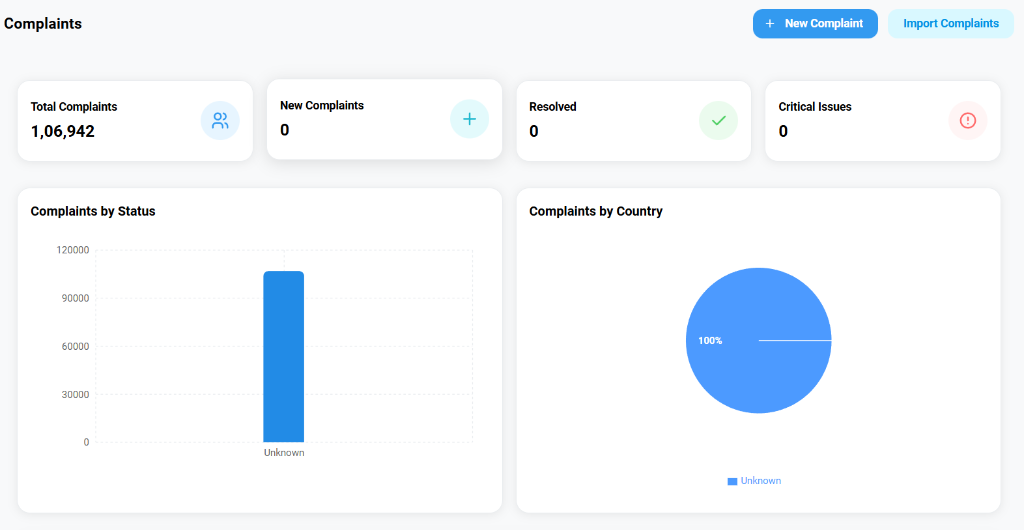
- Key Metrics: View real-time counts for Total Complaints, New Complaints, Resolved cases, and Critical Issues.
- Visual Analytics:
- Complaints by Status: A bar chart visualizing the distribution of complaints across different stages.
- Complaints by Country: A pie chart showing the geographical breakdown of reports.
Filtering and Search
To find specific records, use the advanced filtering tools located above the list view.

- Filter Options: Narrow down the dataset by Country, Severity (e.g., High, Low), PSUR status, or Created Date (e.g., "Last 30 Days").
Managing Complaints
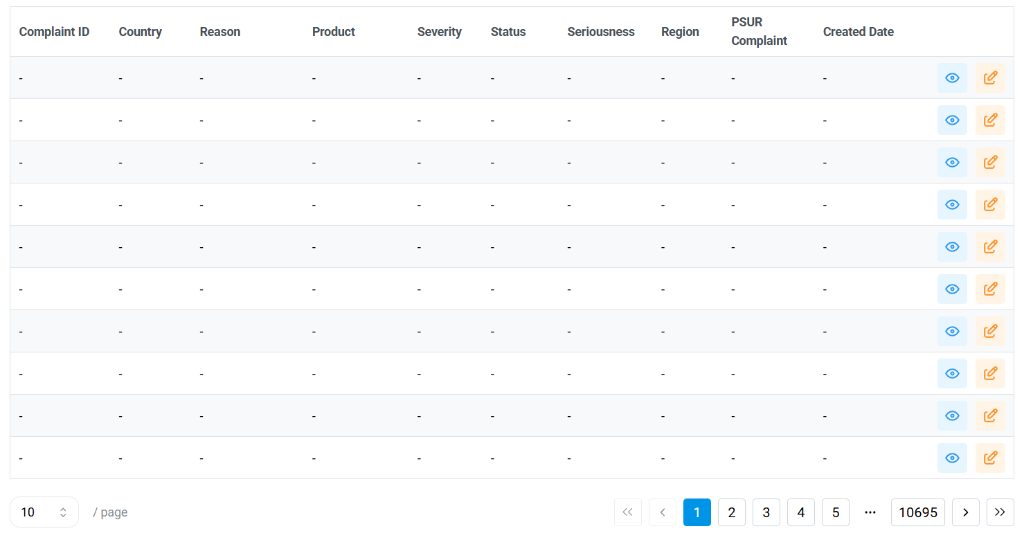
The main list provides a detailed record of every logged complaint.
List Columns
- Complaint ID/Country/Reason: Core identifiers for the issue.
- Product & Severity: Details on the affected device and the impact level.
- Status & Seriousness: Tracking the progress and regulatory classification.
- Actions:
- View (Eye Icon): Open the full details of the complaint.
- Edit (Pencil Icon): Modify or update the complaint record.