Compliance Risk Assessment (CRA)
Dashboard Overview
The CRA module allows you to manage and track Cybersecurity Risk Assessment documents across different projects and systems.
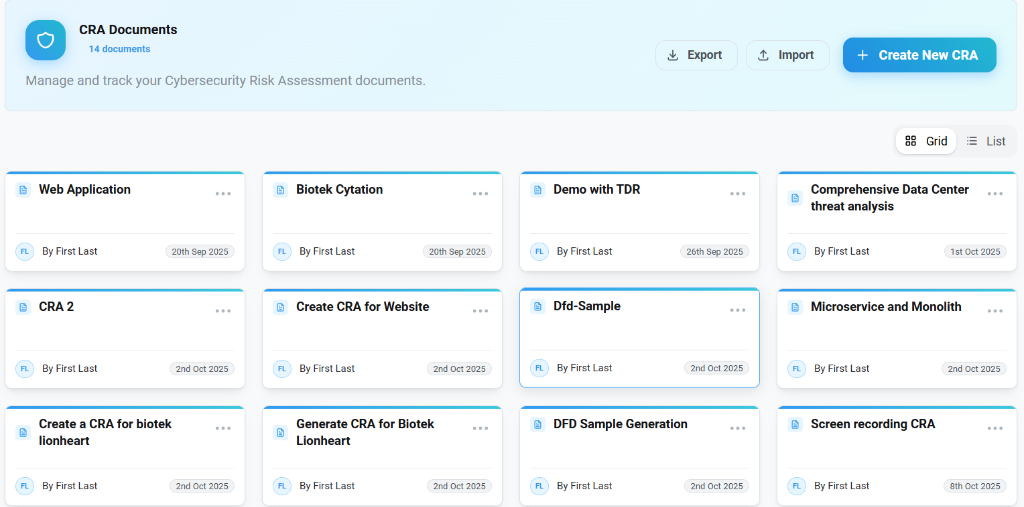
- Document Management: Create, export, or import CRA documents.
- Card View: Quickly access assessments for specific CRA (e.g., "Web Application", "Biotek Cytation").
- Metadata: View ownership and last update dates at a glance.
Threat Analysis
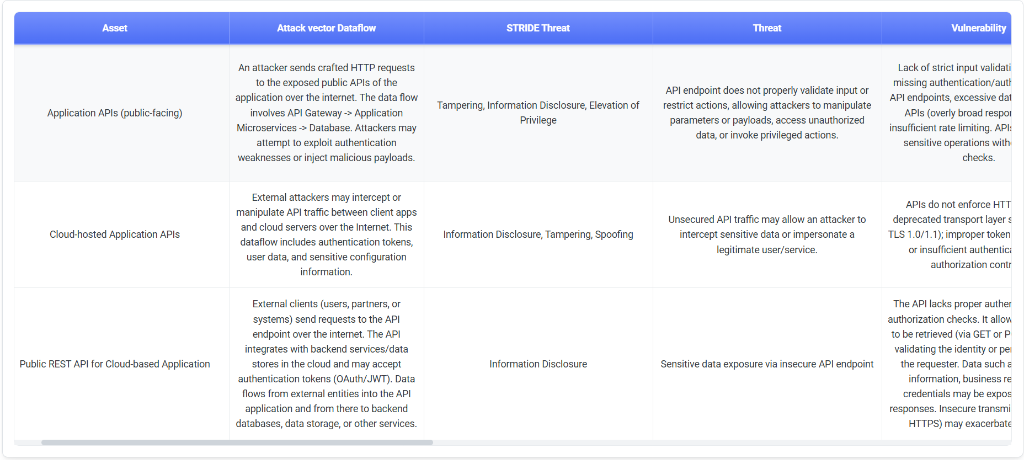
Detailed views provide a breakdown of assets, attack vectors, and specific threats.
Analysis Columns
- Asset: The component valuable to the organization (e.g., "Application APIs").
- Attack Vector Dataflow: Description of how an attacker might exploit the system.
- STRIDE Threat: Categorization of the threat (Spoofing, Tampering, Repudiation, Information Disclosure, Denial of Service, Elevation of Privilege).
- Vulnerability: Specific weakness that could be exploited.
Assessing Risks
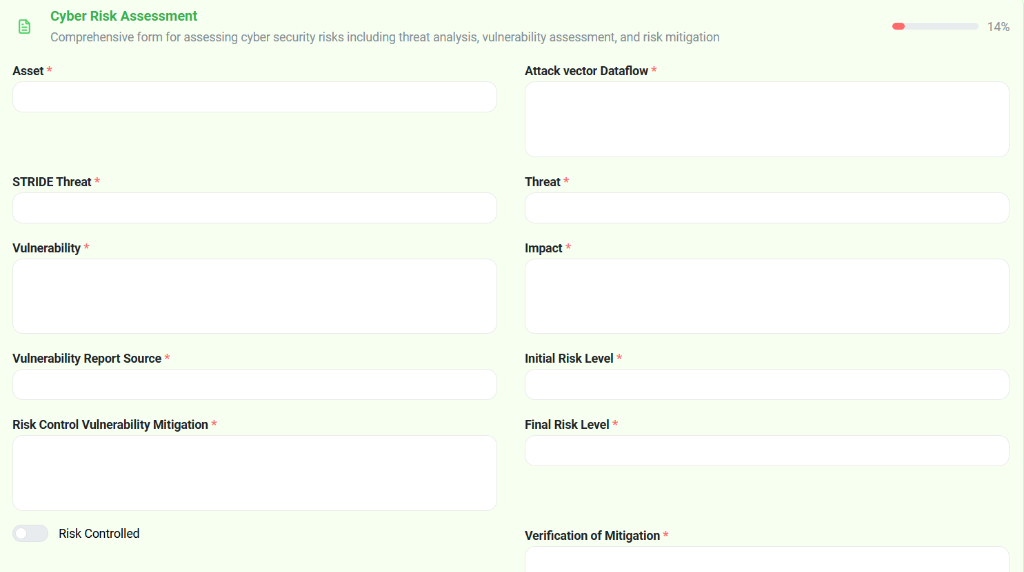
The risk assessment form enables precise documentation of threats and their mitigation.
Key Fields
- Asset & Dataflow: Define the target and pathway of the attack.
- Threat & Vulnerability:
- Threat: The potential cause of an unwanted incident.
- Vulnerability: The weakness allowing the threat to occur.
- Impact & Risk Level:
- Impact: Consequence of the threat materializing.
- Initial Risk Level: Risk before mitigation.
- Final Risk Level: Residual risk after controls are applied.
- Risk Control & Verification:
- Mitigation: Steps taken to reduce risk.
- Verification: Evidence that the mitigation is effective.