Entitlements
Manage your organization's access to the DataReality platform. The Entitlements dashboard provides a transparent view of all active modules, trial periods, and license limits, ensuring you stay compliant with your service agreement.
1. Company Status Overview
Navigate to Company Settings > Entitlements. The top level of the dashboard summarizes your overall license health with four critical metrics.
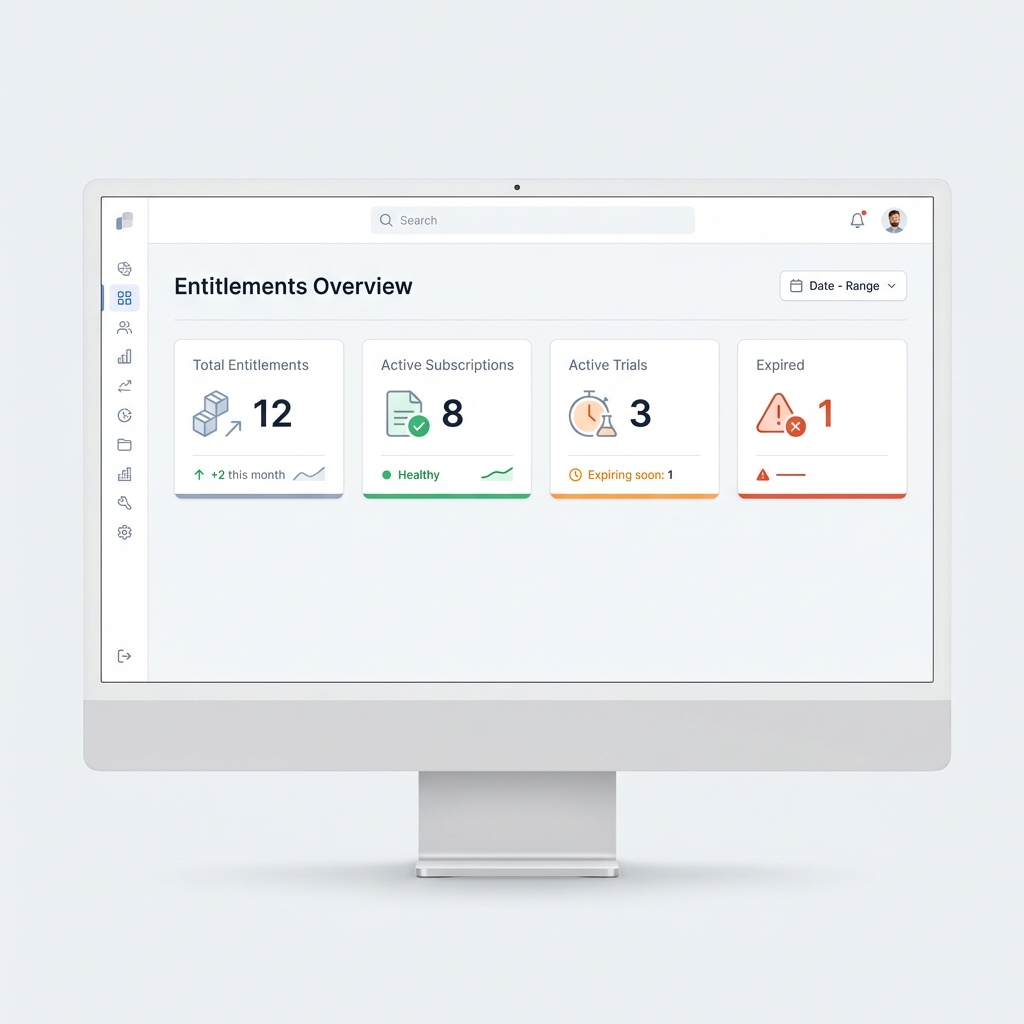
- Total Entitlements: The count of discrete modules or feature sets enabled for your organization (e.g., PSUR, Vigilance, Risk IQ).
- Active Subscriptions: The number of paid, fully functional licenses currently in use.
- Active Trials: Any modules currently in a proof-of-concept or pilot phase.
- Expired: Licenses that have lapsed. Note: Data associated with expired modules enters a read-only retention state.
2. Module Management
Below the summary, the Entitlements List details every specific capability assigned to your workspace. Administrators use this view to audit access and plan renewals.
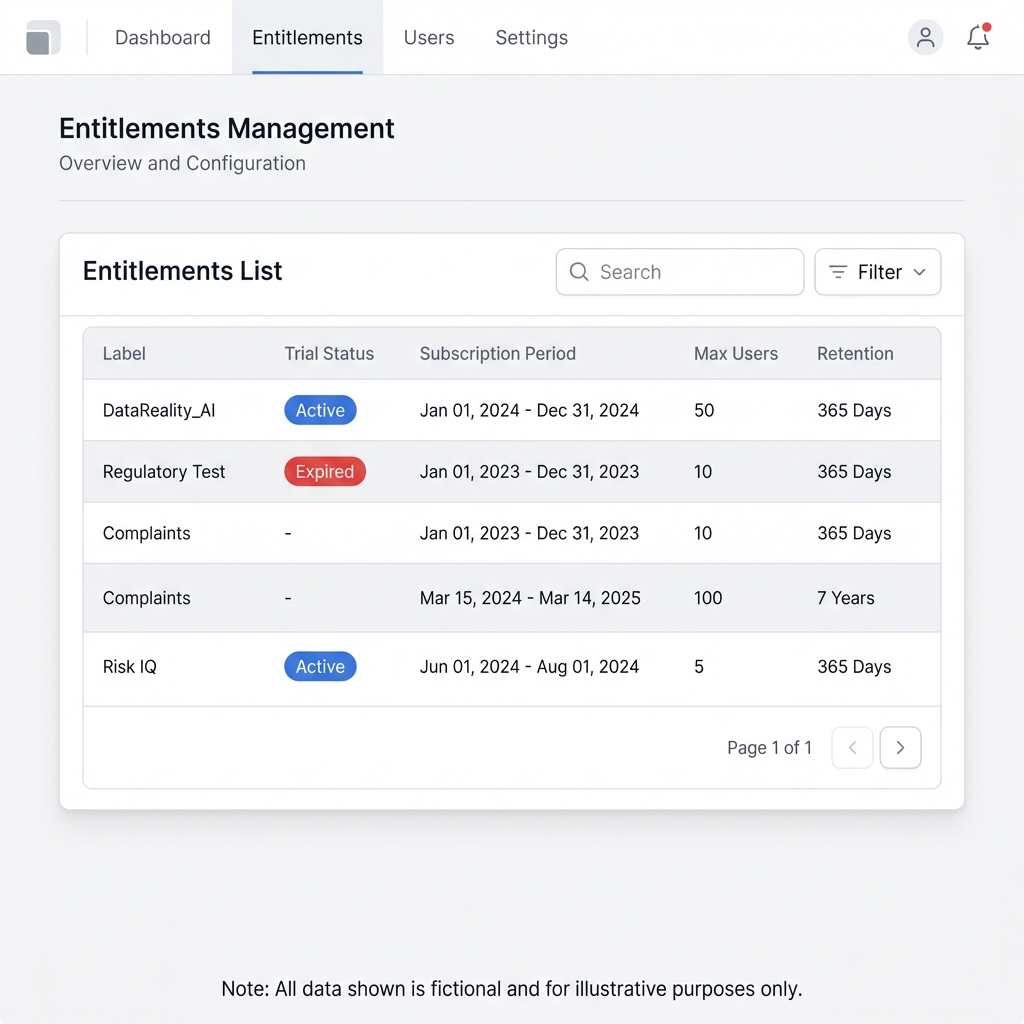
Understanding the Columns
- Label: The specific module name (e.g.,
DataReality_AI,Regulatory Test,Complaints). - Trial Status: Indicates if the module is in a temporary evaluation mode.
- Subscription Period: The validity window for the license (
Start Date→End Date). - Max Users: The hard limit on how many users can be assigned a role within this specific module (license seats).
- Max Companies: For multi-tenant setups, how many subsidiary organizations can inherit this module.
- Retention: The data preservation policy guaranteeing access to records (e.g.,
365 Daysor367 Days).
Common Modules
| Module Name | Description |
|---|---|
| Vigilance Report | Automated generation of EU-MDR compliant vigilance reports. |
| Risk IQ | AI-driven hazard analysis and risk estimation. |
| Trace Matrix | End-to-end traceability from requirements to validation. |
| 510k | Submission builder for FDA premarket notification. |
| Recall | Global recall tracking and impact assessment. |
License Upgrades
If you approach a Max Users limit or need to activate a new module (like Risk IQ), please contact your Account Manager or use the standard Support ticketing flow to request a quote.